Context
Content translations are supported in Sitecore Content Hub by the multilanguageflag on entity members and at an Entity level by using Variants. Variants are a powerful concept allowing localized versions of the same Content item to be created, tracked, and governed. You can also create localized versions of Assets or your custom Entities in the same way, providing powerful extensibility on other business entities across geographies or cultures.
Execution
Multi-language members
For simpler translation needs, multi-language fields can be defined at the domain model in individual members.
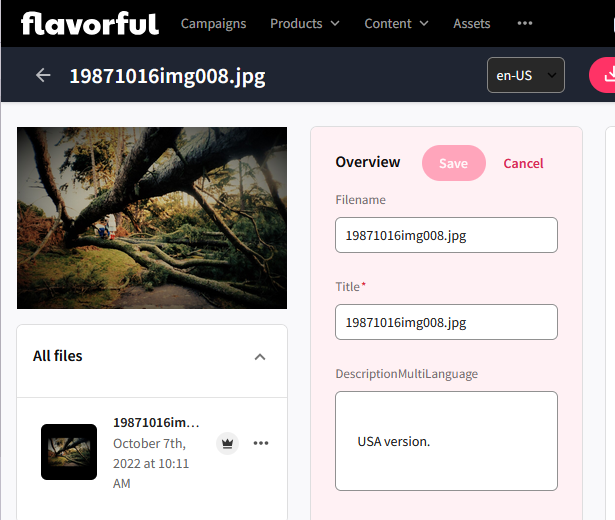
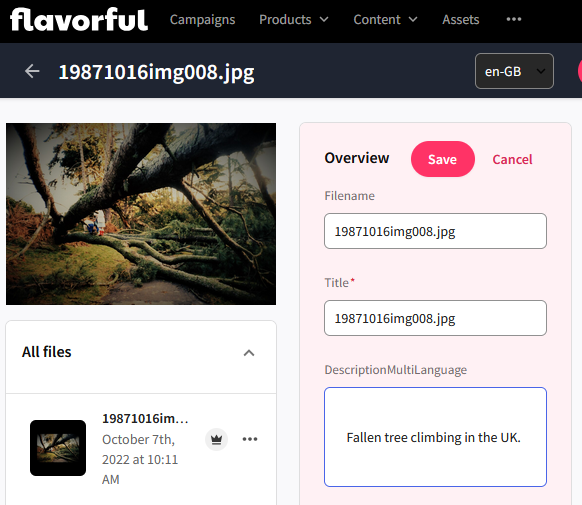
To allow an entity member to support multiple languages, use the multilanguage flag.
Multilanguage is a boolean (true/false) property set when creating a member on an entity. It allows content translation for different cultures. Specifically, this allows editors to add different content per enabled language (via the usual entity detail component).
The
multilanguagesetting for a member cannot be changed after creation. It can only be set when the member is being added.
If you want to modify this flag for an existing member, you must create a new member and use it instead of the old one. Updating a domain model later on to support this could therefore be a major undertaking.
Variants
Variants allow administrators to manage localized versions of the same asset or content item. This is especially useful when:
- The structure or behavior of content differs by region.
- Metadata or linked entities vary across markets.
- You need to track and govern localized content independently.
Out of the box, Variants are enabled for the following entities:
M.ContentM.PCM.CatalogM.PCM.ProductM.PCM.ProductFamily
Can be enabled on demand:
M.AssetCustom entities
Variants can also be enabled for M.Asset or any custom entity definition - follow the Enable and disable the variant functionality documentation for further steps. The out of the box entities above cannot have Variant functionality disabled.
Variants vs. Multi-Language Fields
Variants are more flexible than multi-language fields and are ideal for geographies where content needs to be adapted, not just translated. Conversely, consider that a variant is a whole separate entity to manage, so if you only have simple requirements it may not be necessary.
Multi-language editing by multiple users
Please be aware that if two people are editing the same entity in different languages at the same time, a ‘race condition’ can occur where they can overwrite each others' changes. Therefore we recommend avoiding a situation where this can occur by requiring close coordination between users or scheduling.
Insights
When setting up multilingual capabilities in Content Hub, thoughtful planning upfront helps avoid complex rework later. Use the following best practices to ensure a scalable and reliable translation setup.
Approaching Multi-language
Make sure that you define Multi-language fields early and carefully design your domain model from the start. Once a field is marked as multi-language, it cannot be reverted. Changing this later requires creating a new field and migrating existing content - a time-consuming and error-prone process. Not all content needs simple translations. If the structure or behavior of content varies significantly between regions, consider using entity Variants instead. Variants allow for more flexibility in managing localized differences beyond just language.
When dealing with multi-language fields, these should be genuinely multi-language, e.g. do not use it as a replacement for Variants. If an entire entity is intended to be distributed in different cultures, then use Variants rather than multi-language fields.
An example of multi-language scaling issues
Product has a Warranty relationship.
- In the UK Product A has a 1 year warranty.
- In France, it’s 2 years.
The only way to handle this (in a potentially confusing manner) is to have a Warranty entity whose label is “1 Year” in en-GB, and “2 ans” in fr-FR.
- Product B has a 1 year warranty in the UK, and a 3 year warranty in France.
Now you need an additional warranty entity which has en-GB “1 year”, fr-FR “3 ans”.
If you consider this scenario across multiple products, with multiple warranty combinations - it will not scale. Therefore, you should use Variants for this use-case.
You should only use variants when:
- You need localized versions of the same content structure (e.g., a product description in English, French, and German).
- Content behavior, metadata, or linked entities differ by market or region.
- You want to track changes independently per locale, such as different product specs or legal disclaimers.
Multilanguage field best practices
- Ise Multilanguage fields ehen you have a small number of fields that would benefit from multiple languages and when creation and management of a copy of your entity would be an excessive overhead.
- Avoid Multilanguage fields when:
- The entity logic or associations change between languages.
- You need to customize workflows, permissions, or linked assets per language.
AI-assisted content translation
With the AI-assisted content translation feature, you can create localized versions of content for different markets. Each localized version, called a Variant, is tagged with a ‘VARIANT’ label and has a unique ID, while the original content is labeled ‘ORIGINAL’. Variants share the same structure and fields as the original but can be edited and published independently. The AI tool helps translate each variant into its assigned locale.
To use this feature in Content Hub, it must first be enabled and properly set up. Refer to the Translate content using AI documentation for more details on implementation and setup.