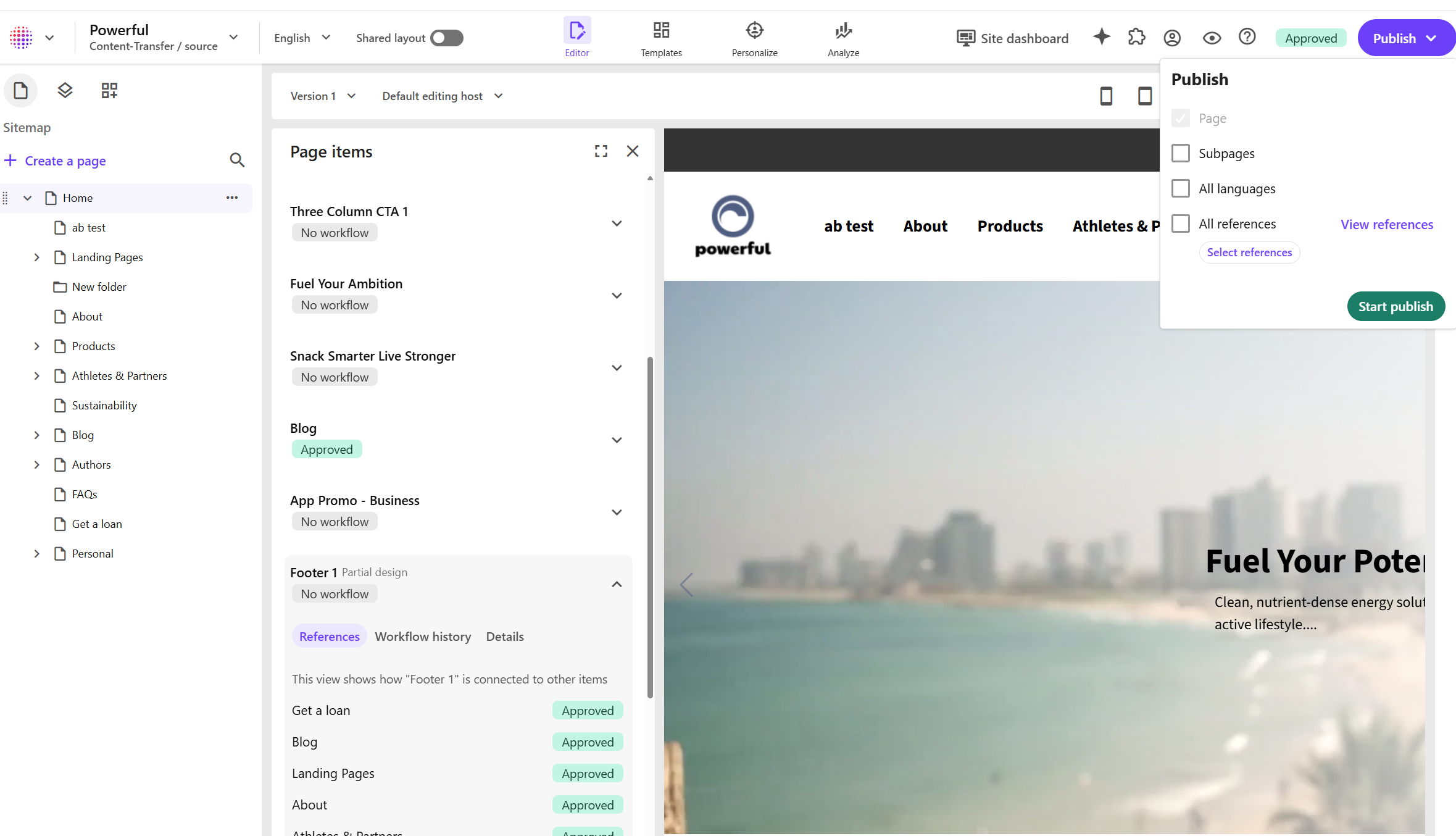
We have expanded your options for understanding and managing the items connected to your pages.
You can now view all content items referenced by a page directly in the content tree. Open the content tree, click Actions, and select Page items to see every referenced item and drill down into details such as item history. This gives you a complete picture of how content is used across your site and makes auditing and workflow management easier.
We also introduced more flexibility when publishing pages and their referenced items. Previously, publishing a page from the Page builder automatically published all related items that had been updated since the last publishing. This is now optional. You can choose to:
• Publish the page only.
• Publish the page with all updated referenced items.
• Select specific referenced items to publish alongside the page.
To view all referenced items before you publish, go to the content tree, click Actions, and select Page items.